Qwen3-4B
RTX 2060 · 6 GB · 24 problems
3.8×faster
Without reasoning ahead12.2 s
◆ With MAFDET3.2 s
24/24 both ways. Fits in VRAM, 83 tok/s. Faster in 24 of 24 problems. Reasoning left after Enter: 944 → 244 tokens.
Local AI · reads and thinks while you type
Chat apps let the GPU sit idle while you write. MAFDET uses that time: it reads your message as you type it and starts reasoning before you press Enter. On Qwen3-4B the wait after Enter goes from 12.2 s to 3.2 s, same answers. Entirely local, on llama.cpp.
pipx install mafdetWindows · macOS on Apple Silicon · Linux untested · NVIDIA CUDA, AMD Vulkan, Apple Metal, or CPU
New to all this? Read the plain-words version →
Idle while you type. After Enter: read the message, then reason from scratch.
An illustrative simulation in your browser: no model runs here. Timings scaled from the Qwen3-4B benchmark on an RTX 2060 (24 word problems typed in real time, mean wait after Enter 12.2 s → 3.2 s). Playback at 3× speed.
Measured, not promised
Word problems with a known numeric answer, typed in real time at 5 to 8 characters per second, Enter right after the last character. The wait is for the first word of the answer. Every run is in the repository.
RTX 2060 · 6 GB · 24 problems
3.8×faster
24/24 both ways. Fits in VRAM, 83 tok/s. Faster in 24 of 24 problems. Reasoning left after Enter: 944 → 244 tokens.
RTX 2060 · 6 GB · 6 problems
2.3×faster
6/6 both ways. Larger than the VRAM: 38% on the GPU, about 5 tok/s. Six problems give the order of magnitude, not a precise figure.
MacBook Pro M2 Pro · 16 GB · 24 problems
3.2×faster
24/24 both ways. Metal, 54 tok/s. Faster in 24 of 24 problems. Reasoning left after Enter: 966 → 248 tokens.
MacBook Pro M2 Pro · 16 GB · 6 problems
2.7×faster
6/6 both ways. The whole 14B fits in the unified memory and writes at 18 tok/s.
Conditions
Qwen3 Q4_K_M in thinking mode on llama.cpp. Mean wait after Enter; the RTX 2060 has 6 GB of VRAM, the Mac 16 GB of unified memory. Two runs of the same 24 problems differ by up to a second: these are orders of magnitude, with the data and the scripts to repeat them.
Read the research →How it works
An LLM reads a prompt in a fast, parallel phase (prefill) and then writes one token at a time (decode). A reasoning model thinks for hundreds of tokens before its first word. MAFDET moves both ahead of Enter.
On every pause MAFDET tokenizes the text, keeps the KV cache in sync with it, and holds back the last few tokens: a word you are still typing can change how the text is split.
The prefill is done while you write. With Qwen3 the model also reasons in short chunks on the message as it is. When you edit, that reasoning stays in the prompt as notes and the model goes on from there.
Only the last tokens are read, the model finishes reasoning from where it got to, and answers. On Qwen3-4B about two thirds of the reasoning is done before Enter.
The KV cache, in sync with your text
Backspaces, edits in the middle, pasted blocks: the common-prefix check trims the cache to what still holds and prefills only what is new. Reading ahead is exact; the result is the one a from-scratch computation gives.
Reading ahead · exact
Heuristics such as hold-back and debounce only affect how much work is wasted, never the result. Checked by mafdet judge against a from-scratch computation: 0 errors.
Thinking ahead · measured
The model reasons on versions of the message that are not final yet, so the answer can differ from a cold start. That is why it is measured on answers that can be checked: 24/24 on both sides, on the RTX 2060 and on the M2 Pro.
What you get
No PyTorch, no manual downloads. MAFDET looks at your machine, installs the right build of llama.cpp, and picks the model that runs best on it. Then it starts working before you do.

The prefill is done before Enter, on every pause. Exact, whatever you do to the text: backspaces, edits, pasted documents.

With Qwen3 the model reasons in short chunks on the message as it is, and keeps its notes when you change it. Two thirds of the reasoning done before Enter on the 4B.

The reference machine is an RTX 2060 with 6 GB. Apple Silicon runs through Metal, AMD Radeon through Vulkan, and everything also runs on a CPU.

Every model says, before download, whether it fits in VRAM, how fast it reads and writes, and the wait after Enter with and without MAFDET. Estimates within 12% of the measured speeds.

Five families in the catalog: Qwen3, Llama 3, Gemma 3, Mistral and Phi-4. Beyond it, search Hugging Face from the app or add a file of your own.

Benchmarks, typing simulation and correctness checks ship with the app. Measure a model in half a minute; judge the engine against a from-scratch computation.
The app
The window, in English, Italian, French or German. Or the terminal app, keyboard first, on an amber phosphor screen with a boot sequence. Same views, same engine, same numbers under every answer.
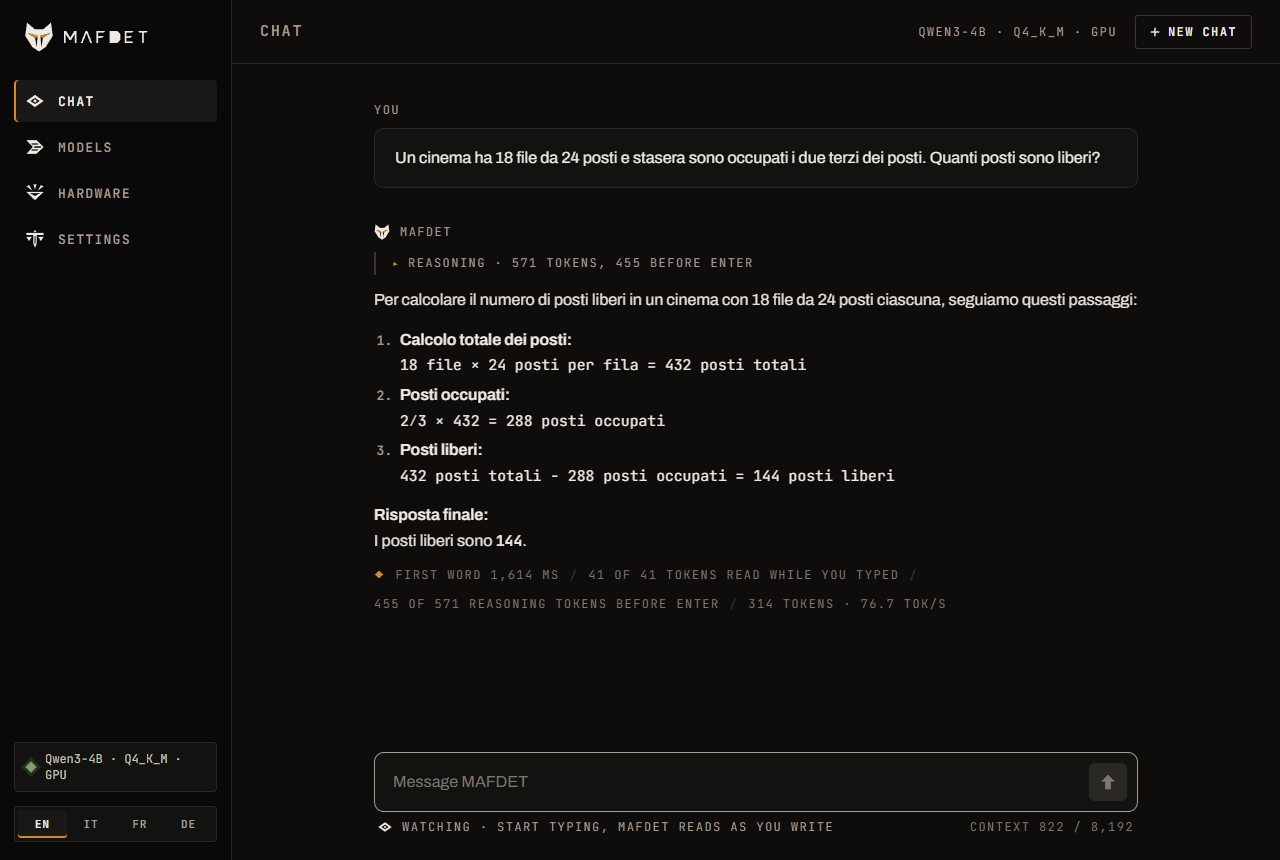
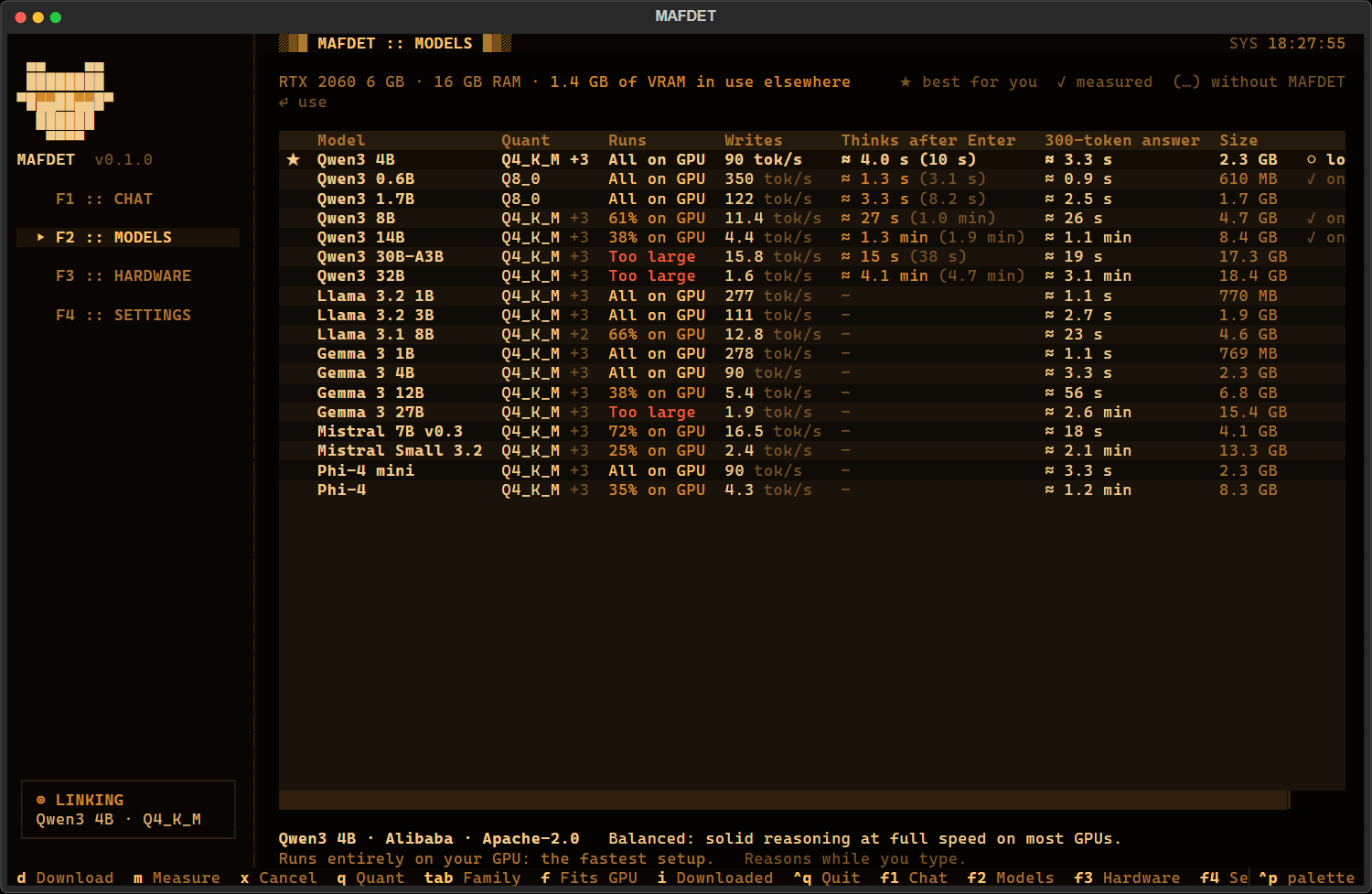
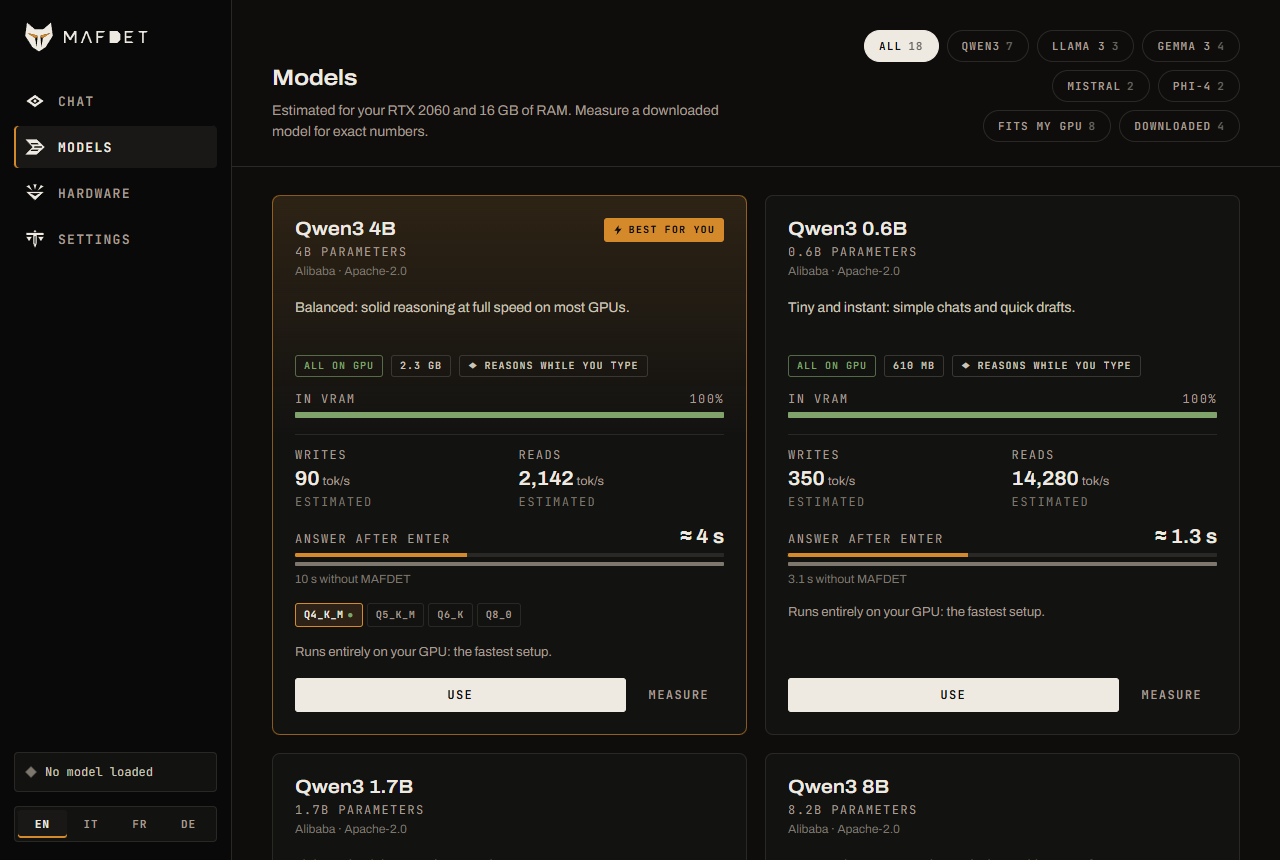
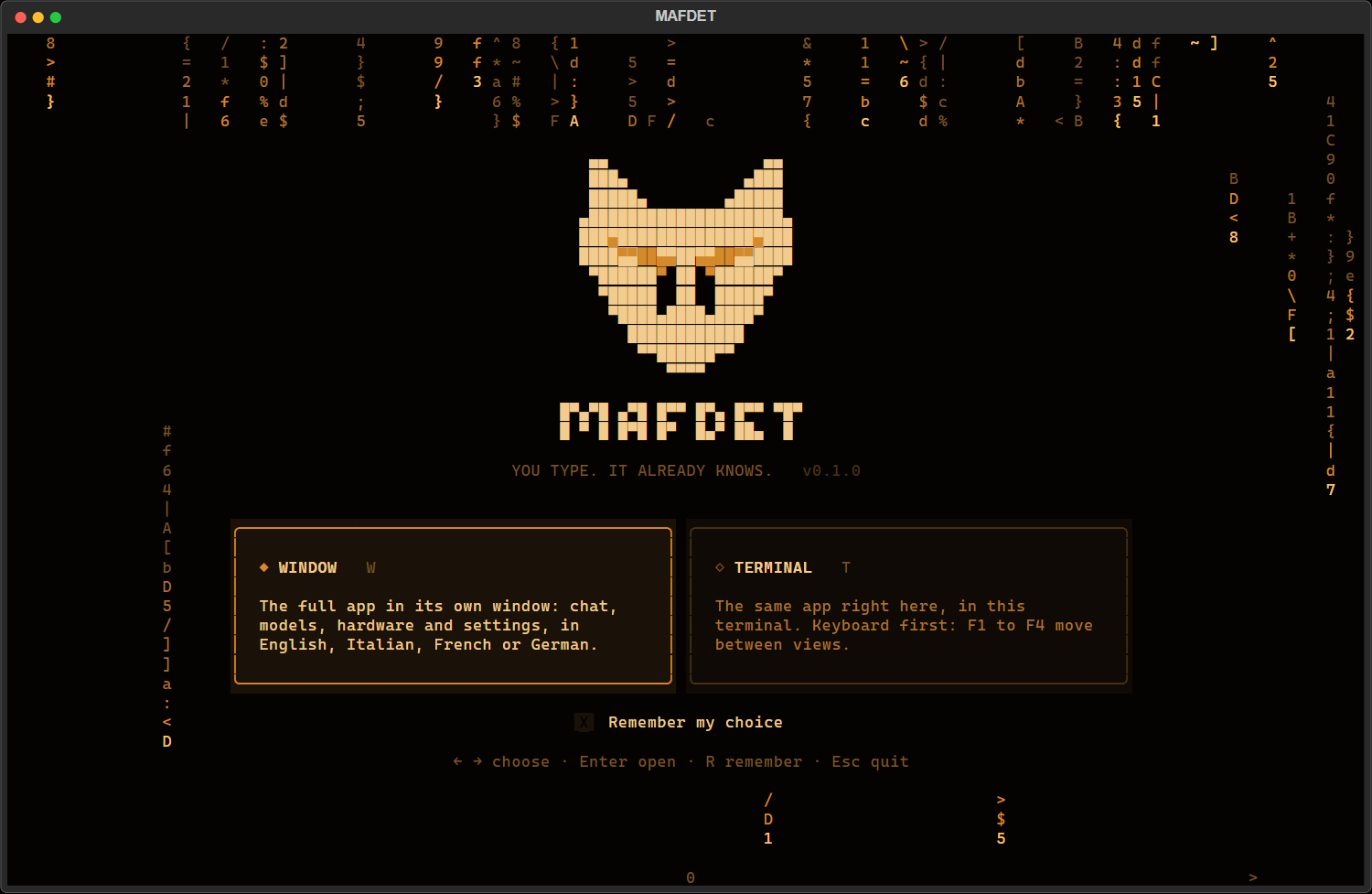
The command line
One mafdet CLI, in the spirit of the goddess it is named after. The app and the research scripts share the same engine, so what you measure is what you run.
$ mafdet doctor
the awakening
Checks the GPU, memory, llama.cpp and the models. --install sets up llama.cpp with the right build.
$ mafdet watch
the watch
The chat window with a model and options from the command line; reads ahead while you type.
$ mafdet strike
the strike
Reasoning ahead while you type, kept across edits, and the exact answer ahead at a pause.
$ mafdet hunt
the hunt
Simulates people typing, clean, messy or pasting, and measures the wait after sending.
$ mafdet race
the race
Benchmarks prefill and decode on your machine, on llama.cpp or on PyTorch.
$ mafdet judge
the judgement
Checks results against a from-scratch computation. Must end with 0 errors.
Get started
Python 3.10 or later is all you need. The first start looks at your machine, installs llama.cpp and downloads the model that runs best on it; the terminal shows every download with its size, speed and time left.
With a double-click
git clone).start_mafdet.bat. The first time it creates a Python environment in .venv and installs MAFDET, about a minute. Needs Python 3.10 or later.From PyPI
With Python from python.org, pip works as it is.
$ pip install mafdet
$ mafdet
Runs on NVIDIA through CUDA (reference: RTX 2060, 6 GB), on AMD Radeon through Vulkan (in place, not measured yet), or on the CPU.
With a double-click
git clone).start_mafdet.command. Python 3.10 or later: from python.org, or brew install python@3.12.From PyPI, with pipx
Homebrew's Python refuses pip install outside a virtual environment: pipx gives MAFDET an environment of its own.
$ brew install pipx
$ pipx ensurepath        # then open a new terminal
$ pipx install mafdet
$ mafdet
Apple Silicon (M1 or later) runs the models on the GPU through Metal, in the unified memory. Tested on an M2 Pro with 16 GB. Intel Macs run on the CPU.
Not tested yet
Linux has its llama.cpp builds and code paths in place (CUDA, Vulkan, CPU), but nobody has run MAFDET on it end to end yet. If you try it, an issue with the output of mafdet doctor is the most useful thing you can send.
From PyPI, with pipx
Recent Ubuntu and Debian stop pip install with externally-managed-environment: use pipx.
$ sudo apt install pipx
$ pipx ensurepath        # then open a new terminal
$ pipx install mafdet
$ mafdet
In a terminal
Also for the measurements in research/.
$ git clone https://github.com/TheLastOxygen/mafdet.git
$ cd mafdet
$ python -m venv .venv          # Windows: py -3.12 -m venv .venv
$ source .venv/bin/activate     # Windows: .venv\Scripts\Activate.ps1
$ pip install -e .
$ mafdet
Updating
$ pipx upgrade mafdet # or: pip install -U mafdet
The double-click scripts update their environment by themselves after a git pull.
Either way: MAFDET asks whether to open the window or the terminal app, looks at your machine, installs the right build of llama.cpp (CUDA, Vulkan, Metal or CPU) and downloads the model that runs best. No PyTorch, no manual downloads.
Open source
A prototype by Simone Di Mauro and Simone Di Natale, the research log in the open, every benchmark in the repository with the script that produced it. Stars, issues and measurements on other hardware are what moves it forward. Who they are →
Privacy
Inference runs locally, on llama.cpp. The only downloads are at setup: llama.cpp from its GitHub releases, and the models you pick from Hugging Face. After that, nothing goes out.
Roadmap
Help wanted
MAFDET runs on Radeon cards through llama.cpp's Vulkan build, but nobody has measured it on one yet. Half an hour of an RX 5000 or later would fill that gap: install, Measure Qwen3-4B, run research/thinking_ahead.py, open an issue.
Questions
Reading ahead is exact: the KV cache ends up identical to a from-scratch computation, whatever you did to the text, and mafdet judge checks it. Reasoning ahead is not, because the model reasons on versions of the message that are not final; that is why it is measured on word problems with a known answer. On Qwen3-4B: 24/24 with and without, on both machines.
Qwen3 in thinking mode, the one family whose reasoning frame was measured. Every other model in the catalog, and any GGUF you add, is read while you type and, at a pause, has its answer written ahead; that part is exact and holds for the exact text it was written for.
No. Inference runs locally on llama.cpp. The only downloads are at setup: llama.cpp from its GitHub releases and the models from Hugging Face. Gated models (Llama, Gemma) need their license accepted on huggingface.co.
The reference machine is an RTX 2060 with 6 GB of VRAM. Apple Silicon Macs run the models on the GPU through Metal (tested: M2 Pro, 16 GB). AMD Radeon cards run through Vulkan, not measured yet. Everything also runs on a CPU; 16 GB of RAM is recommended there, and for models larger than the VRAM.
About 0.7 GB for llama.cpp with CUDA (100 MB with Vulkan, 60 MB for the CPU), plus the models: from 0.6 GB for Qwen3-0.6B to 2.3 GB for the 4B recommended on 6-8 GB cards. No PyTorch.
After Mafdet, the ancient Egyptian feline goddess known as "the runner", who struck snakes and scorpions before they could attack. The six commands are her verbs: awaken, watch, strike, hunt, race, judge.
It is a prototype, honest about it: Windows and macOS are tested, Linux is not yet, Radeon is not measured. The engine is checked and the results are reproducible; the edges are still being filed. Issues are welcome.
More in the README, which is the full manual.
Other models wait for you to finish writing. MAFDET starts before.
pipx install mafdet